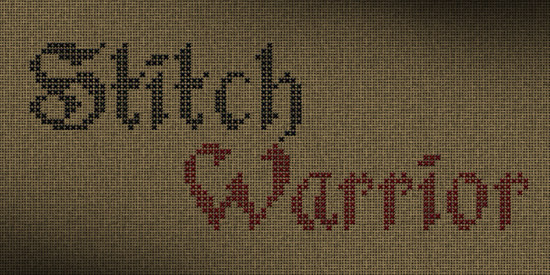
If you’ve ever wanted your digital designs to look like they were hand-stitched with care, the Stitch Warrior Font might be exactly what you’re looking for. It’s not just another decorative typeface it’s built from tiny cross stitches (“x”) and carefully adjusted spacing to mimic real embroidery. Whether you’re designing t-shirts, tote bags, greeting cards, or wall art, this font adds texture and warmth that feels handmade without needing a needle and thread.
I first came across this font while browsing through decorative fonts for a holiday craft project. What stood out was how intentional every detail felt each letter looks like it was stitched slowly and deliberately, not slapped together with digital shortcuts. If you sell print-on-demand products or run a small creative business, little touches like this can make your items feel more personal and premium.
What makes this font different from other stitch-style fonts?
Most “stitch” fonts online are either too cartoonish or too sparse to feel authentic. Stitch Warrior avoids both traps. The designer focused on accuracy every curve and angle mimics how thread would naturally lay on fabric. Even the spacing between letters (called kerning) is adjusted so nothing feels cramped or awkward. That means when you type out “Grandma’s Kitchen” or “Handmade With Love,” it reads smoothly and looks cohesive.
You’ll also notice:
- No jagged edges the “x” stitches are clean and consistent.
- Realistic density letters aren’t too thin or too bulky.
- Works at small sizes great for tags, labels, or stickers.
Who should use Stitch Warrior?
This font isn’t just for crafters who love embroidery though they’ll definitely appreciate it. Here’s who else might find it useful:
- Print-on-demand sellers add charm to mugs, pillows, and apparel without licensing complicated artwork.
- Small business owners use it on packaging, thank-you cards, or shop signs to create a cozy, handmade brand vibe.
- Digital scrapbookers and card makers layer it over textured backgrounds for instant vintage appeal.
- Teachers and parents perfect for classroom decor, chore charts, or personalized gifts that feel extra special.
One thing I love? You don’t need fancy software to use it. Once installed, it works in Canva, Photoshop, Illustrator, Silhouette Studio, Cricut Design Space basically anywhere you can select a font. Just type, adjust size, and you’re done.
How does it pair with other fonts or design elements?
Because Stitch Warrior has such a distinct texture, it pairs best with clean, simple fonts. Try combining it with a minimalist sans-serif for contrast like using Stitch Warrior for the headline and something like Helvetica Neue for body text. It also looks great layered over:
- Fabric textures (linen, burlap, cotton)
- Watercolor backgrounds
- Vintage paper scans
- Subtle grunge overlays
Pro tip: Avoid using it with other overly detailed or script fonts. Too much visual noise can make your design feel cluttered instead of cozy.
Is it worth buying if I already own other stitch fonts?
If realism matters to you, yes. Many stitch fonts are made with dashed lines or uneven spacing that breaks the illusion. Stitch Warrior was clearly designed by someone who understands how actual embroidery behaves the way threads overlap, how tension affects shape, even how shadows fall between stitches. That attention to detail shows up when you zoom in or print large.
You can check out how it compares to similar styles by searching for Stitch Warrior on Creative Fabrica. They often bundle it with coordinating graphics or offer it as part of a subscription, which makes testing it out low-risk.
Quick checklist before you start designing
- Install the font first don’t forget to restart your design app after installing.
- Test readability especially at smaller sizes. Some letters (like lowercase “e” or “a”) can get busy.
- Use generous spacing since it’s textured, giving your text room to breathe helps legibility.
- Export as high-res PNG or SVG preserves stitch details for printing or cutting machines.
- Try mockups place your design on product photos to see how it feels “in the wild.”
Whether you’re making gifts, building a brand, or just playing around with new tools, fonts like this remind us that digital doesn’t have to feel cold. Sometimes the smallest details like a well-placed cross stitch are what make people pause, smile, and say, “I love that.”
Try It Free Beloved Script Font for Elegant Design Projects
 Designing with the Blendhes Font
 Belinda Script Font for Chic Design Projects
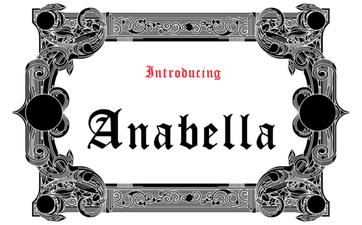 Anabella Font: a Creative Guide & Design Ideas
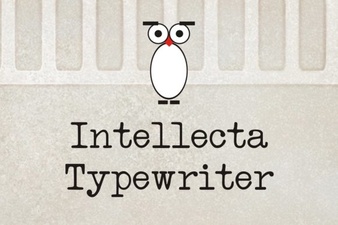 The Intellecta Font: Design for Modern Projects
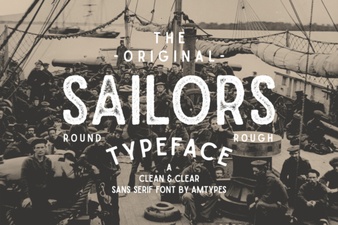 Sailors Font: Projects & Design Ideas for Creatives