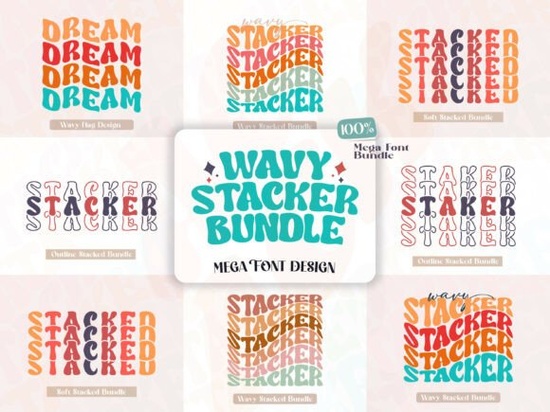
If you’re looking for a display font that brings retro charm and playful energy to your projects, the Wavy Stacker Font is worth a closer look. It’s built for designers who want bold, groovy letterforms with enough flexibility to keep things fresh whether you’re working on posters, stickers, apparel, or social media graphics. The wavy, stacked shapes give it a liquid, almost hand-drawn feel, while the included stylistic alternates let you tweak each character for a more custom look.
What makes Wavy Stacker different from other display fonts?
Most display fonts in this category stick to clean lines or sharp edges. Wavy Stacker leans into organic curves and uneven stacking think 70s album covers meets modern streetwear branding. You can swap out letters using OpenType features to create rhythm and variation without needing multiple fonts. For example, if you’re designing a music poster, alternating between the default “A” and its wavier alternate can add movement and personality without cluttering your layout.
It pairs surprisingly well with simpler sans-serifs or even serif fonts like Holland when you need contrast. And if you’re already using something like Harlan for headlines, Wavy Stacker can serve as your accent font for subheads or callouts.
Who should use this font?
- Print-on-demand sellers Its thick strokes and high contrast hold up well on t-shirts, mugs, and tote bags.
- Small business owners Great for eye-catching signage, packaging labels, or Instagram story templates.
- Crafters and hobbyists Easy to install and use in Canva, Silhouette Studio, or Cricut Design Space.
- Graphic designers The alternates offer typographic depth without complexity just toggle them in your design software.
If you’ve tried fonts like Frontier for rugged themes or Never Forget for nostalgic vibes, Wavy Stacker fills a different niche: fun, fluid, and slightly unpredictable. It’s not meant for body text or corporate reports but for anything that needs to pop and feel alive, it’s a solid pick.
How do I access the stylistic alternates?
You don’t need advanced typography skills. Most design programs (Adobe Illustrator, Photoshop, Affinity, etc.) let you turn on OpenType features with a click. Look for “Stylistic Alternates” or “Contextual Alternates” in your glyph panel. Some apps like Canva may require you to manually insert alternate characters from a separate file which usually comes included in your download folder.
Pro tip: Try mixing uppercase and lowercase alternates in the same word. The uneven baseline and varying heights add rhythm naturally. For example, “SUMMER VIBES” doesn’t have to be uniform let some letters dip lower or stretch wider for visual interest.
What kinds of projects work best with Wavy Stacker?
This font thrives in contexts where personality matters more than polish:
- Festival or concert posters
- Vintage-inspired product packaging
- Merch designs for bands, cafes, or indie brands
- Social media quote graphics with a retro twist
- Custom stickers or enamel pins
It also layers well with textures try placing it over grainy paper scans, halftone patterns, or faded gradients. If you’re building a full brand identity, consider pairing it with something minimalist like Learning Memories for supporting text to keep things balanced.
For more examples of how this style performs across mediums, check out Wavy Stacker Font on Creative Fabrica you’ll find real user uploads, mockups, and bundle options that include extras like SVG files or layered PSDs.
Any downsides to be aware of?
Because of its bold, irregular shapes, Wavy Stacker isn’t ideal for small sizes or tight spaces. Avoid using it below 24pt in print or under 36px on screens legibility drops quickly. Also, since every letter has unique curves, kerning might need manual tweaking in longer phrases. That’s normal for display fonts like this, but worth noting if you’re on a tight deadline.
And while it’s packed with personality, it’s not universally appropriate. Skip it for formal invitations, legal documents, or corporate annual reports. Save it for moments when you want to spark joy, not impress a boardroom.
Quick checklist before you start designing:
- Install both OTF and TTF versions one might work better in your preferred software.
- Preview alternates early decide which glyphs fit your project’s tone before committing to a layout.
- Test at final size what looks great big might become muddy small.
- Pair with simple fonts let Wavy Stacker shine by keeping supporting text clean.
- Export with outlines especially for print or POD platforms, to avoid font substitution issues.
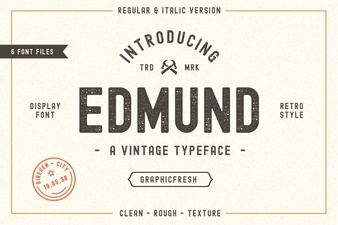 Discover Font Pairings with the Edmund Font
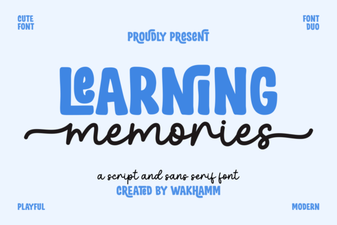 Creative Projects Using Learning Memories Font
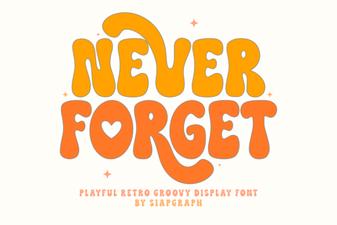 Crafting Projects with the Never Forget Font
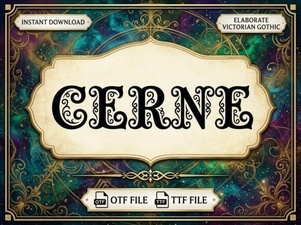 Cerne Font: Modern Design & Creative Applications
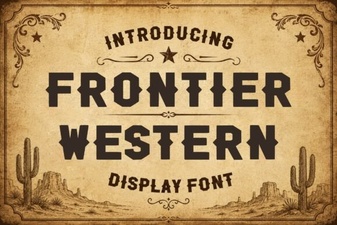 Crafting with Frontier Western Font Styles
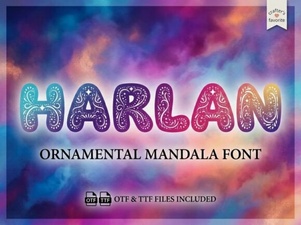 Harlan Font: Your Next Design Companion