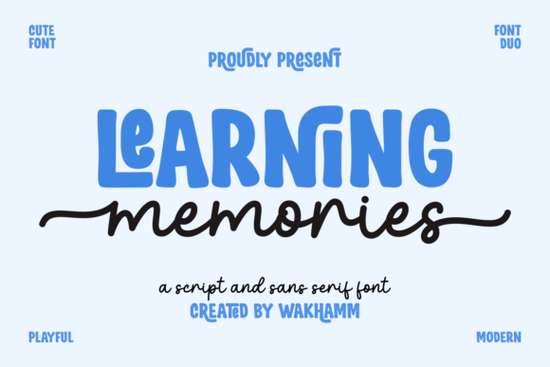
If you’re looking for a font that feels both personal and professional, Learning Memories might be exactly what your next project needs. It’s not flashy or overly trendy just a clean, thoughtful pairing of a smooth monoline script and a bold display sans-serif that works beautifully together. Whether you’re designing logos, packaging, social media graphics, or print-on-demand products, this duo gives you flexibility without sacrificing style.
The script font flows like gentle handwriting not too rigid, not too wild making it perfect for names, quotes, or soft branding elements. Pair it with the display sans, and suddenly your headlines feel grounded but still full of character. You can see a similar balance in fonts like Holland or Harlan, but Learning Memories stands out because of how naturally the two styles complement each other.
Who is this font best for?
If you run a small business or Etsy shop, you’ll appreciate how easy it is to create cohesive designs without switching between unrelated fonts. The script adds warmth; the sans adds confidence. That combo is great for:
- Branding kits Use the script for taglines and the sans for business names or headers.
- Social media templates Quotes in script, captions in sans = instant visual hierarchy.
- Printables and planners The clean lines make it readable at small sizes, even in script form.
- T-shirts and mugs The bold sans pops on merchandise, while the script adds a handmade vibe.
Crafters who use Cricut or Silhouette will find this especially handy both fonts cut cleanly and layer well. And if you’ve ever struggled to find a script that doesn’t look childish or a sans that doesn’t feel corporate, this set solves both problems.
How does it compare to other display fonts?
Fonts like Jax or Sasha have their own personalities Jax leans geometric, Sasha feels more editorial. Learning Memories sits right in the sweet spot: friendly enough for kids’ brands or wedding invites, but polished enough for boutique labels or wellness studios.
It’s also surprisingly versatile across industries. A bakery? Perfect. A yoga studio? Fits right in. A modern stationery brand? Absolutely. The key is in the spacing and stroke consistency nothing feels forced or mismatched when you pair the two weights.
A few practical tips for using Learning Memories
- Don’t overdo the script. Let it shine in short phrases or as accents. Long paragraphs in script can get hard to read.
- Use size contrast. Make the sans-serif 1.5x larger than the script when pairing them it creates natural emphasis.
- Try subtle color shifts. A slightly darker gray for the sans and a warm tone for the script adds depth without clutter.
- Check kerning in logos. Some letter pairs (like “r” and “n”) may need tiny adjustments for perfect balance.
You can explore the full family and licensing options here: Learning Memories Font. Personal and commercial licenses are available, and it comes with standard OTF and TTF files no complicated installs or font managers needed.
What kinds of projects have people made with it?
Users have turned Learning Memories into everything from baby shower invites to boutique skincare labels. One seller used the script for handwritten-style thank-you notes on product packaging, while another paired the sans with minimalist icons for a modern logo suite. Because both fonts share the same design DNA, mixing them never feels disjointed.
It’s also become popular among educators creating classroom decor the script feels approachable for kids, while the sans keeps things organized and legible. If you’re making planners, worksheets, or motivational posters, this combo holds up well under heavy use.
Is it worth adding to your font library?
If you already own a dozen script fonts but nothing that pairs reliably with a strong sans, then yes. If you’re tired of fonts that look great alone but clash when combined, this duo was built to solve that. And if you’re just starting out building your design toolkit, it’s a smart foundational pair not too niche, not too basic.
For comparison, check out how others are using it in real projects. Sometimes seeing it in context helps more than any description.
Quick checklist before you download:
- ✅ Does your project need both elegance and strength?
- ✅ Are you pairing fonts manually and want something that just works?
- ✅ Do you value readability alongside personality?
- ✅ Will you use it across multiple platforms (print, web, merch)?
If you answered yes to most of these, give it a try. Sometimes the quiet fonts the ones that don’t scream for attention end up being the ones you reach for again and again.
Learn More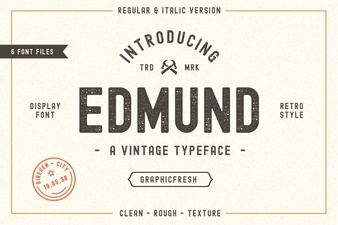 Discover Font Pairings with the Edmund Font
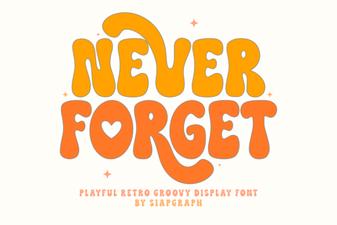 Crafting Projects with the Never Forget Font
 Wavy Stacker Fonts: Curves & Creativity
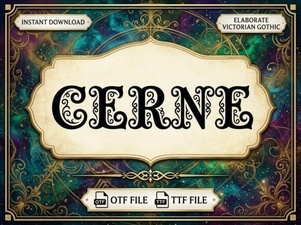 Cerne Font: Modern Design & Creative Applications
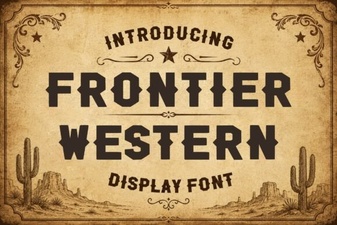 Crafting with Frontier Western Font Styles
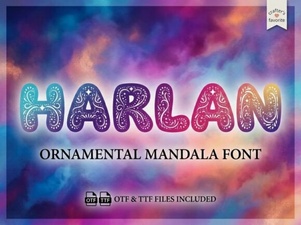 Harlan Font: Your Next Design Companion